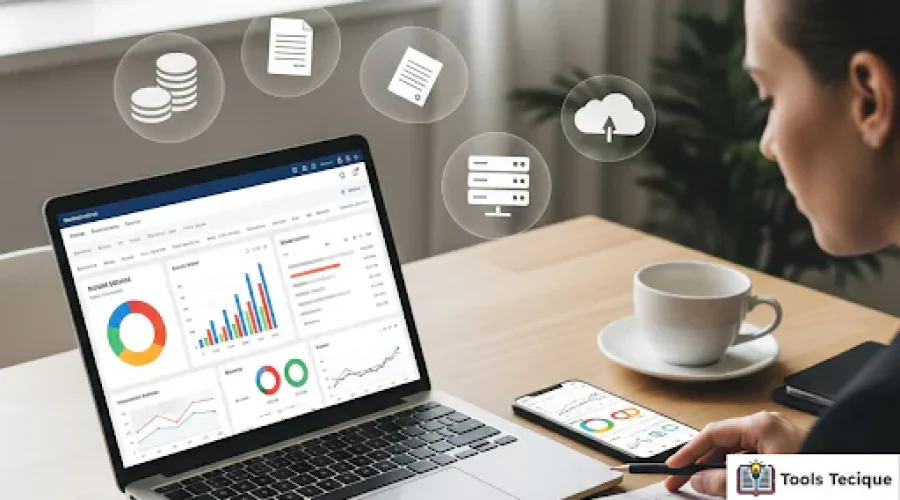
Juggling clients, projects, and deadlines is the daily reality of being a freelancer. But what about tracking your money? This guide highlights the top accounting tools and expense tracker apps. Use them to navigate your finances and keep your freelance business successful.
Managing finances as a freelancer is challenging, but the right expense tracking tools and apps simplify the process. From scanning receipts to sending invoices and identifying tax deductions, these solutions help freelancers gain clarity, save time, and stay compliant. Choosing the right app means smoother workflows, better financial control, and more focus on growth.
Conquering the Freelancer’s Financial Maze
As an independent contractor, you are the boss, the employee, and the finance team. It’s liberating, but the financial admin can feel a huge burden. Tracking business expenses can be tough. Crumpled receipts in your glove box and complex spreadsheets make it even harder. This can feel overwhelming, especially during tax season.
The good news? The right technology transforms this chaos into clarity. Developers design modern accounting tools and expense tracker apps to meet the needs of self-employed individuals. They make your financial workflow easier. They automate dull tasks and show your business’s health. This turns chaos into a smooth, efficient system.
For a complete guide, learn more about budgeting with irregular income.
Why is Meticulous Expense Tracking Important for Freelancers?
Tracking expenses carefully is not only smart; it’s vital for a successful freelance career. It directly impacts your bottom line, legal compliance, and peace of mind. Without it, you’re flying blind and leaving money on the table.
Track Business Expenses to Maximise Tax Deductions and Simplify Filing
- Track Business Expenses: Every expense you track could be a potential tax deduction.
- Common deductions include home office costs, software subscriptions, and client lunches.
- Lower Taxable Income: Deductible expenses lower your taxable income. This means you pay less in taxes.
- Keep Records: Proper tracking ensures you have documentation to claim deductions.
- Make Tax Season Easy: Tracking your finances helps make tax season smooth and stress-free.
Research shows that businesses using digital expense management solutions reduce manual errors by 19%, saving valuable time and money during tax season.
Gaining Financial Clarity and Control Over Your Freelance Business
Do you know your most profitable client? Are you spending too much on certain tools? Tracking expenses gives you the answers. It shows you exactly where your money goes. This helps you build accurate budgets, set good rates, and make smart choices to grow your freelance business.
According to Verified Market Reports, the global expense tracking software market is growing rapidly, valued at $3.6 billion in 2024 and expected to reach $8.1 billion by 2033 as businesses seek better financial clarity.
Streamlining Bookkeeping and Professionalizing Your Financial Workflow
A streamlined financial workflow enhances professionalism.
- Send polished, professional invoices on time.
- Track payments with precision and maintain well-organized records.
- Impress clients while simplifying your financial management.
- Free up valuable time to focus on what you do best.
What Key Features Should Freelancer Tools Have?
Choosing the right expense tracking software can be tricky. There are many options available. To find the right tools for you, focus on these key features. They support a strong financial workflow.
Effortless Expense Capture & Organization
The core of any good expense tracker app is its ability to capture expenses with minimal effort. Choose tools that can scan receipts. An AI-powered scanner is best. It should extract important data without manual intervention. This eliminates manual entry and ensures you never lose a receipt again.
Comprehensive Income, Invoicing, and Payment Tracking
Your tool should do more than track what you spend. The best solutions for self-employed individuals also help you track income.
- Professional Invoicing: Use the app to make custom invoices. Then, send them straight to clients.
- Online Payments: Integrate with payment processors to ease the acceptance of online payments.
- Payment Reminders: Automatically send reminders for late payments. This helps keep cash flow healthy.
Smart Tax Preparation and Deduction Identification
The ultimate goal for many freelancers is a stress-free tax season. The right tool can be a game-changer. It helps categorize business expenses with precision. It can also flag potential tax deductions you might have missed. This makes tax preparation tools very valuable.
Essential Business Management and Productivity Features
Many modern platforms offer features beyond basic accounting. These include time tracking, project management tools, and inventory management. These additions streamline your workflow. Now, you can manage different parts of your freelance business all in one place.
User Experience (UX), Mobile Accessibility & Cloud Accessibility
A tool is only useful if you use it. A clean interface that is easy to use is crucial. Ensure the platform has a robust mobile app for tracking expenses. Cloud accessibility is essential. It lets you access your financial data securely from any device.
According to Future Market Insights, over 65% of consumers prefer mobile expense tracker apps, with the market growing due to smartphone adoption and AI capabilities.
Security, Data Privacy & Support
You’re trusting these apps with sensitive financial information. Verify that the provider uses strong encryption and has clear data privacy policies. Good customer support is key when you have questions or face problems.
Integration Capabilities with Other Tools
Choose an expense tracker that connects with your bank for automatic transaction imports. Look for compatibility with project management tools to simplify workflows. Integration with payment processing platforms can further streamline financial management.
Which Accounting and Expense Tracker Apps Are Best?
Look at the great tools that help freelancers and independent contractors manage their finances.
Best All-In-One Solutions for Comprehensive Financial Management
These all-in-one solutions are great for freelancers wanting one place for invoicing and tax prep.
- QuickBooks Self-Employed is popular with freelancers. It accurately tracks income, expenses, and mileage. It also helps estimate quarterly taxes. Its user-friendly interface simplifies financial management, making it feel less intimidating.
- FreshBooks: FreshBooks is great for service-based freelancers. It has excellent invoicing features and strong expense and time tracking tools.
- Zoho Expense: As part of the Zoho ecosystem, Zoho Expense automates expense reporting. It works well with other Zoho apps, giving you a full business management solution.
Best for Dedicated Expense Tracking & Receipt Management
Consider these options if you already have an invoicing system and just need a powerful tool for expense management. They specialize in receipt scanning and organizing business expenses efficiently. Apps like Expensify and Shoeboxed are leaders in this category.
Best for Mileage and Travel-Heavy Freelancers
For freelancers constantly on the road, mileage is a significant tax deduction.
Apps like MileIQ work quietly on your phone. They track your drives automatically. You can easily swipe to mark them as business or personal. This ensures you capture every deductible mile without the hassle of manual logs.
Niche or Specialized Tools Worth Considering
Sometimes, a specialized tool is the best fit. Bonsai provides a complete suite for creative freelancers. It includes proposals, contracts, project management, and financial tools. Investigate to determine whether a platform that is tailored for your industry exists.
Beyond the App: Best Practices for Expense Management
While an expense tracker app is a powerful ally, it works best with good financial habits. These best practices will boost your expense management. They will also help your freelance business thrive over time.
Setting Up Dedicated Bank Accounts and Credit Cards
Don’t commingle business and personal finances – it’s a recipe for disaster. Open separate bank accounts for your business. Get a dedicated credit card for business expenses. This makes tracking expenses and bank reconciliation much easier. It also provides a clear audit trail for tax purposes.
According to Fortune Business Insights, the global expense management software market reached $7.64 billion in 2024, driven by businesses’ growing need for financial transparency and separation of accounts.
Developing Consistent Workflows for Daily Expense Capture
Don’t let receipts pile up. Make it a habit to use your mobile app to scan receipts immediately after a purchase. Track your expenses in real-time. Stay updated, whether you’re at a coffee shop with a client or shopping online. A consistent workflow prevents overwhelm and ensures accuracy.
Regular Financial Review and Reconciliation
Set aside time each week or month to review your finances. Reconcile your bank accounts with your expense tracking software to catch any discrepancies. This regular check-in keeps you aware of your financial health. It helps you make smart business decisions.
Collaborating with Your Accountant for Seamless Tax Season Preparation
Your accountant is your most valuable financial partner. Many expense tracking apps allow you to grant an accountant access to your data. This collaboration simplifies tax prep. It helps you maximize deductions and ensures your finances are accurate and compliant. Plus, it offers peace of mind.
Assessing Your Specific Freelance Business Needs
Take stock of your daily operations. Do you send a lot of invoices? Do you travel often? Are you selling products that require inventory management? Identify your essential features first. Then, find a tool that matches your financial workflow.
Leveraging Free Trials to Evaluate User Experience and Workflow Fit
Almost every reputable expense-tracking software offers a free trial. Use this opportunity to test the platform’s user experience. Observe how it integrates into your daily routine without any disruptions. The right tool will feel intuitive and make your life easier, not more complicated.
FAQs
Q1. Why is expense tracking important for freelancers?
Expense tracking is vital because it ensures financial clarity, maximizes tax deductions, and reduces stress during tax season. Without proper tracking, freelancers risk errorsa, missed deductions, and poor financial decisions that impact long-term business health.
Q2. How do expense tracker apps help with tax season?
These apps categorize expenses, keep digital receipts, and flag potential deductions. By organizing records in real time, they reduce manual errors and make collaboration with accountants smoother, ensuring a less stressful and more accurate tax season.
Q3. What features should freelancers look for in expense tracking tools?
Freelancers should prioritize receipt scanning, income and payment tracking, invoicing, tax preparation, and mobile accessibility. These features save time, prevent errors, and provide a complete financial view for smarter decision-making.
Q4. Which apps are best for freelancers on the go?
For travel-heavy freelancers, mileage tracking apps like MileIQ are highly effective. They run automatically, track business drives, and let users mark trips easily, ensuring every deductible mile is captured without manual logs.
Q5. What best practices improve expense management?
Freelancers should use separate business accounts, capture expenses daily, review finances regularly, and collaborate with accountants. These habits, combined with the right tool, create a professional workflow and long-term financial stability.
References