










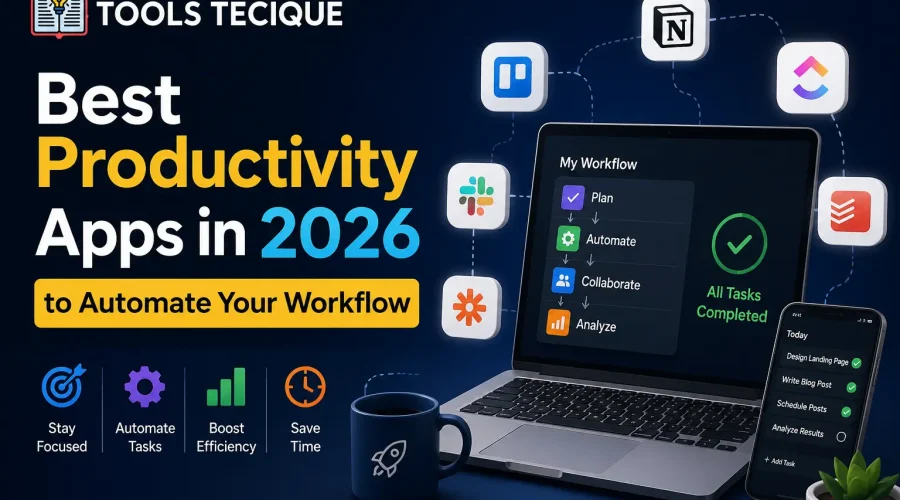
Las mejores aplicaciones de productividad de 2026 combinan la gestión de tareas con IA y una auténtica automatización del flujo de trabajo, permitiéndote delegar tareas repetitivas como la programación, la organización de notas y el seguimiento, en lugar de tener que gestionarlas manualmente. Busca herramientas que se integren con tus aplicaciones de calendario y comunicación, en lugar de tener que cambiar constantemente entre sistemas inconexos.
Antes, las aplicaciones de productividad se limitaban a listas de tareas digitales con un diseño más atractivo. La generación actual automatiza partes del flujo de trabajo en lugar de simplemente mostrarlas, y esa es la diferencia que realmente ahorra tiempo, en lugar de simplemente organizar la misma cantidad de trabajo de forma más ordenada.
De acuerdo a Investigación sobre tendencias laborales de MicrosoftUn número creciente de trabajadores del conocimiento informa que las herramientas asistidas por IA ahora manejan una parte significativa de sus tareas administrativas rutinarias, siendo la programación automatizada y los recordatorios de seguimiento los casos de uso más comúnmente adoptados. Investigaciones separadas de Informe de anatomía del trabajo de Asana Se ha constatado sistemáticamente que los empleados pierden varias horas a la semana cambiando de aplicación y duplicando las actualizaciones de estado en herramientas desconectadas, un coste que las plataformas integradas están diseñadas específicamente para eliminar.
¿Qué hace que una aplicación de productividad sea realmente útil en 2026?
En 2026, una aplicación de productividad realmente útil automatiza tareas repetitivas como la programación, los recordatorios y la organización de notas, en lugar de simplemente ofrecer una versión digital de una lista en papel. La integración con tus herramientas de calendario, correo electrónico y comunicación existentes es más importante que cualquier función aislada, ya que las herramientas fragmentadas que no se comunican entre sí generan una sobrecarga.
La verdadera mejora en la productividad reside en reducir la cantidad de aplicaciones independientes que debes revisar y actualizar manualmente, no en añadir otra herramienta aislada. Una aplicación con muchas funciones, pero desconectada de tu calendario y bandeja de entrada, suele generar más trabajo del que ahorra, ya que terminas introduciendo manualmente la misma información en dos lugares.
Por experiencia propia: Un consultor independiente utilizaba cinco aplicaciones distintas para tareas, calendario, notas, facturación y comunicación con clientes, dedicando casi una hora diaria a mantenerlas todas actualizadas manualmente con la misma información. La consolidación en una única aplicación de espacio de trabajo integrado que combinaba tareas, calendario y notas en un sistema conectado eliminó por completo esa sincronización manual, liberando aproximadamente cinco horas semanales que antes se dedicaban a tareas administrativas en lugar de al trabajo facturable para los clientes.
Comparativa de categorías de aplicaciones de productividad
| Categoría | Lo mejor para | Característica clave |
|---|---|---|
| Espacio de trabajo todo en uno | Reducir el cambio de aplicaciones | Notas, tareas y documentos combinados |
| Automatización del flujo de trabajo | Conectar herramientas separadas | Automatización basada en disparadores |
| Gestión de tareas de IA | Ayuda para la priorización | Sugerencias de programación inteligente |
| Nota y base de conocimientos | Material de referencia a largo plazo | Notas vinculadas con función de búsqueda |
Conclusión principal: Agregar otra aplicación de productividad a un conjunto de herramientas ya fragmentado suele generar más trabajo del que ahorra. La consolidación y la integración son más importantes que la lista de funciones individuales de cualquier aplicación.
Cómo elegir la configuración de productividad adecuada
- Primero, audita tus herramientas actuales. identificar dónde la duplicación manual o el cambio de aplicaciones realmente hacen perder tiempo.
- Prioriza la integración sobre las funcionalidades, Elegir herramientas que se integren con las que ya utilizas, en lugar de reemplazarlo todo a la vez.
- Empieza por automatizar una tarea recurrente. antes de intentar reformar todo tu flujo de trabajo simultáneamente.
- Reevaluar trimestralmente, Dado que la calidad de las herramientas de productividad y tus propias necesidades cambian con el tiempo, lo que funcionaba para un profesional independiente a menudo deja de ser efectivo una vez que se incorpora un equipo.
Por experiencia: Un pequeño equipo de marketing adoptó una herramienta de automatización de flujos de trabajo con grandes expectativas, pero la implementó intentando automatizar todo el proceso de incorporación de clientes a la vez. La complejidad abrumó al equipo y la adopción se estancó en cuestión de semanas. Reiniciar con una sola tarea automatizada, enviando automáticamente una secuencia estandarizada de correos electrónicos de bienvenida cuando un nuevo cliente firmaba un contrato, generó confianza y familiaridad con la herramienta antes de ampliar gradualmente la automatización a pasos adicionales, lo que resultó mucho más exitoso que el enfoque inicial de hacerlo todo a la vez.
Cómo la IA cambia específicamente la priorización de tareas
Más allá de la simple automatización, varias herramientas de productividad de 2026 utilizan IA para sugerir activamente en qué deberías trabajar a continuación, basándose en plazos, dependencias y tus patrones de comportamiento anteriores, en lugar de simplemente listar todo en el orden en que se introdujo. Esto transforma la aplicación, pasando de ser un simple registro pasivo de tareas a algo más parecido a un asistente que te ayuda a decidir en qué concentrarte.
Esta es una capacidad significativamente diferente de la automatización basada en disparadores que se mencionó anteriormente (si sucede X, hacer Y), y ambas suelen estar disponibles en la misma herramienta moderna: la automatización se encarga de los pasos mecánicos repetitivos, mientras que la priorización mediante IA se encarga de las decisiones sobre el orden y el enfoque.
Errores comunes en las aplicaciones de productividad
- Adoptar demasiadas herramientas superpuestas sin consolidarlas ni integrarlas.
- Automatizar demasiado rápido antes de que el equipo se sienta cómodo con un punto de partida más sencillo.
- Ignorar las capacidades de integración a favor de listas de características individuales que resultan impresionantes de forma aislada.
Preguntas frecuentes
P: ¿Merecen la pena las aplicaciones de productividad con IA a cambio de una suscripción?
A: Para los usuarios con tareas administrativas o de programación realmente repetitivas, el ahorro de tiempo suele justificar el coste, aunque los usuarios ocasionales con listas de tareas sencillas quizás no necesiten los planes más caros basados en IA.
P: ¿Pueden las aplicaciones de productividad realmente reducir el estrés laboral?
R: Reducir el seguimiento manual y la sobrecarga de cambio de aplicaciones puede disminuir significativamente la carga cognitiva, aunque las herramientas de productividad por sí solas no pueden abordar los problemas de carga de trabajo o de programación derivados de las exigencias laborales más amplias.
P: ¿Cuántas aplicaciones de productividad debería usar realmente?
R: En general, un menor número de herramientas bien integradas supera a muchas aplicaciones especializadas desconectadas, ya que la sobrecarga que supone sincronizar manualmente la información entre herramientas separadas suele contrarrestar cualquier ventaja de las funciones individuales.
P: ¿Las aplicaciones de productividad funcionan bien para equipos, no solo para individuos?
A: Muchas aplicaciones modernas de productividad incluyen funciones de colaboración en equipo, aunque su adopción exitosa por parte de un equipo generalmente requiere una implementación y capacitación más planificadas en comparación con el uso individual, como lo demuestra el ejemplo del equipo de marketing mencionado anteriormente.
P: ¿Merece la pena cambiar de aplicación de productividad si la que uso actualmente funciona bastante bien?
R: No necesariamente. Si sus herramientas actuales satisfacen sus necesidades sin una carga manual significativa, cambiar principalmente por funciones más nuevas puede generar más inconvenientes que beneficios.
Explora más guías de productividad
ToolsTecique cubre herramientas tecnológicas prácticas para el trabajo y la vida en 2026. Nuestra guía sobre Cómo la IA está cambiando las aplicaciones de finanzas personales cubre una categoría relacionada de automatización que puede integrarse con su configuración de productividad más amplia y nuestra guía sobre qué es realmente la IA agente Explica la tecnología subyacente que impulsa la última generación de funciones de priorización de tareas descritas anteriormente.
